In this guide, you will find a previous sales receipt in Vektori Kassa and print a receipt copy or send it to the customer by email. You can search for the most recent receipt or search by receipt number. Always check the receipt details before printing, sending it or starting a refund.
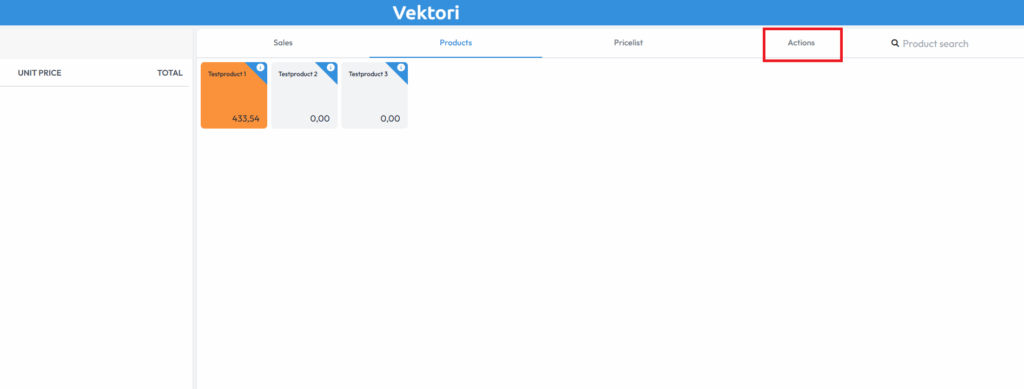
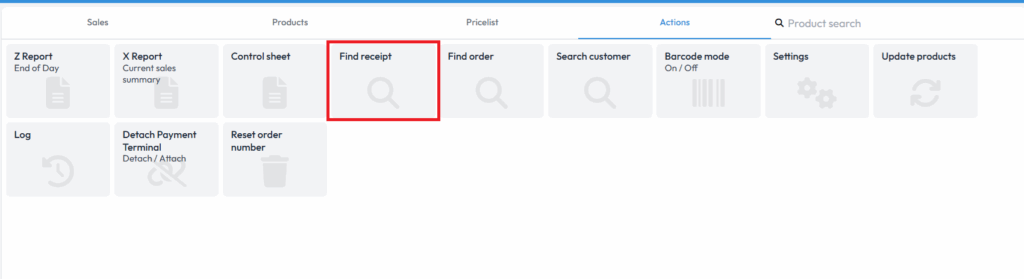
Till path: Till → Actions → Find receipt.
Open receipt search at the till
- Open Actions on the till terminal. You can also start directly from the Find receipt button if it is visible in the till view.
- Select Find receipt.
The button names in the older images below may differ from those in the current view. Follow the names provided in the step descriptions.
Find the most recent receipt or search by receipt number
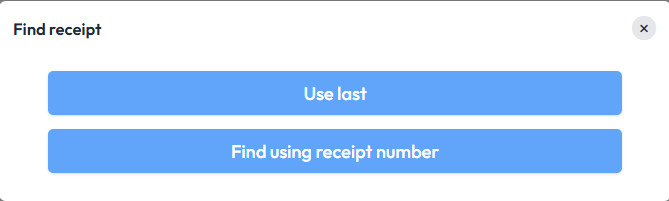
- Select Find most recent if you are looking for the most recent receipt.
- Select Find by receipt number if you know the receipt number. Enter the number shown at the bottom of the receipt.
Check the receipt number, date and time, products and total on the receipt you opened to make sure you are handling the correct sale.
Print a receipt copy or send the receipt
The functions available on your till are shown below the receipt:
- Print prints the receipt if the function is available on your till.
- Send sends the receipt to the customer's email address. Check the recipient's address before sending.
- Back returns to the previous step.
If you are finding a receipt for a sales refund, Refund with receipt starts the refund process. In that case, follow the guide Processing a refund at the till.
Comments
0 comments
Please sign in to leave a comment.