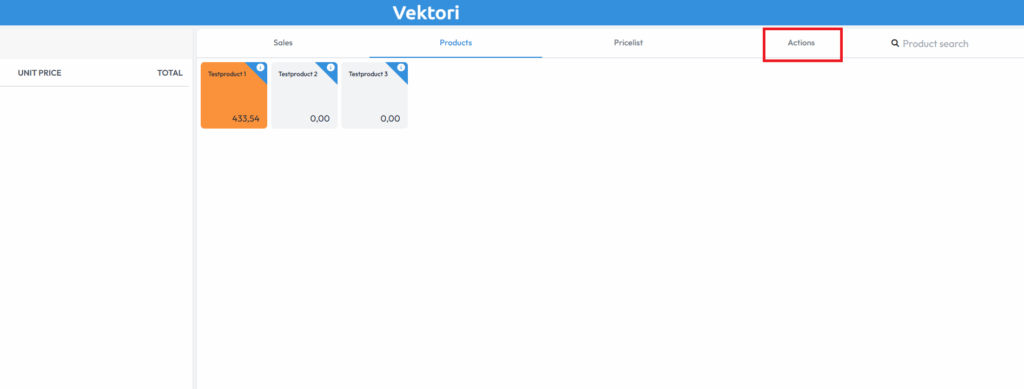
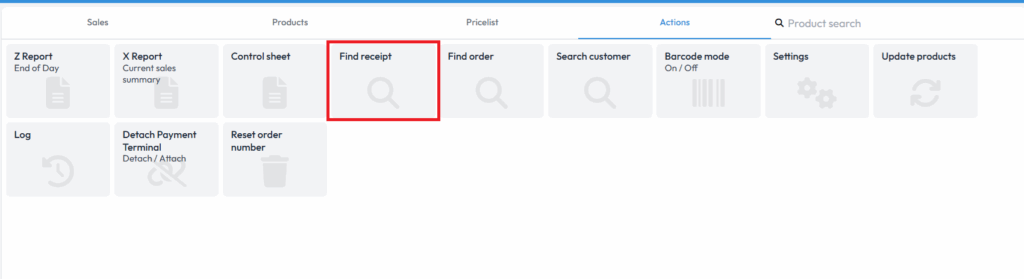
Start by finding the original sales receipt in the checkout app. Open Actions → Find receipt or use the Find receipt button directly if it is visible in the checkout view.
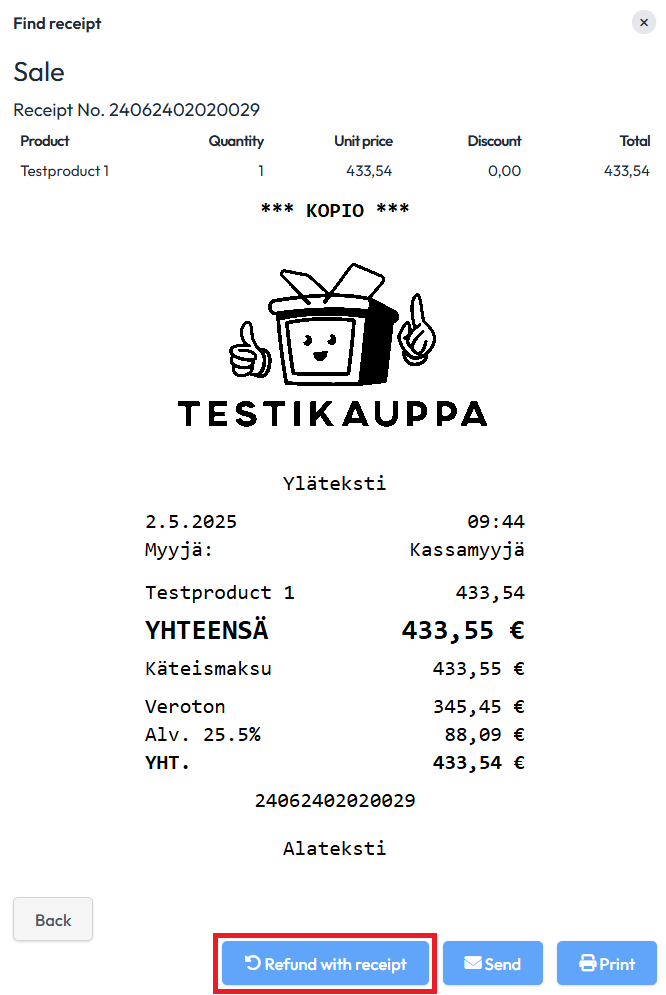
Select Find latest or Find by receipt number. Check the receipt number, date and time, products and total to make sure you are processing the correct sale. Button names in older images may differ from the current view.
Once you have selected either option, scroll to the bottom of the receipt and select Return with receipt.
If you want to return the entire receipt, select only the payment method to be refunded and continue as you would with a normal sale.
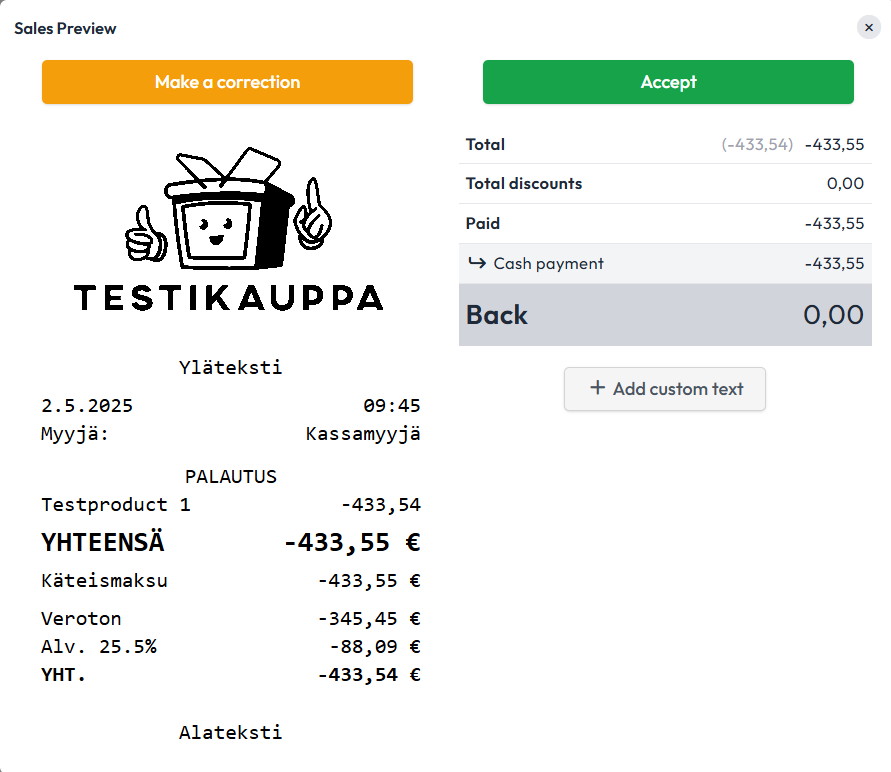
If you want to return only a specific product or service, you can remove the other products by clicking the product or products and then selecting "Remove lines". Note that this removes the product or products from the return. Once you have selected the products to be returned, select the payment method and continue as you would with a normal sale.
Comments
0 comments
Please sign in to leave a comment.